App Development: Designing Interactive App Prototypes with Figma
Designing Interactive App Prototypes with Figma
Craft modern user interfaces, clickable wireframes, and interactive mobile prototypes using industry-standard Figma tools.
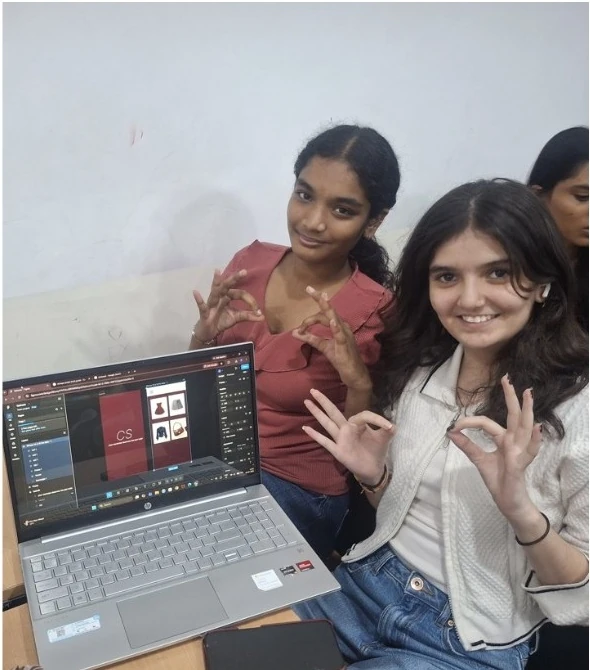
About this Workshop
This workshop is part of Creya Learning's Makers Day Out 101 Series, a collection of immersive, hands-on experiences that enables students to learn as creators, designers and problem-solvers. Each workshop combines technology, creativity, collaboration and reflection to help students transform ideas into meaningful solutions.
The App Development (Figma) workshop introduces the fundamentals of User Interface and User Experience design using Figma, a leading tool for designing interfaces and building interactive prototypes for websites and applications. Participants learn how digital products are planned, structured and made easy to use, not by writing code, but by designing screens and connecting them into an interactive prototype.
Students begin with a guided e-commerce application project, then apply their skills to a real-world challenge: identifying a user and need, planning an app experience and developing a clickable prototype. Testing it with others shows that a successful digital product must do more than look attractive.
Workshop at a Glance
Grades 7–12
4.5 hours without a scheduled break
Figma exploration, guided e-commerce project, real-world design challenge, testing and presentation
No prior Figma, UI/UX, coding or app-development experience is required
Figma for interface design and interactive prototyping
Expected Impact & Student Takeaways
Workshop Schedule
Introduction to App Design, UI/UX and Figma
Explore how applications solve problems and support users. Understand the difference between UI, UX, a clickable prototype and a coded application. Become familiar with the Figma workspace and essential tools.
Figma Foundations
Create frames and use text, shapes, images, alignment, layers and basic components. Examine how layout, spacing, colour and visual hierarchy influence clarity and usability.
Guided Project: E-Commerce Application
Follow the facilitator to design an e-commerce prototype with screens such as Home, Product Listing, Product Details, Cart and Confirmation. Build reusable components and connect the screens into an interactive shopping journey.
Real-World Challenge: Understand and Plan
Receive a problem statement, identify the intended user and need, generate possible app solutions and select one direction. Create a user-flow diagram and plan the screens, features and information required.
Team Challenge: Design the App Prototype
Develop the application screens in Figma, create consistent interface elements and connect interactions into a working prototype. Focus on the essential features that show how the app addresses the user's need.
User Testing and Improvement
Ask another team to complete a task using the prototype. Observe where users hesitate, become confused or take an unexpected path, then improve the layout, instructions, navigation or interactions.
Prototype Showcase and Reflection
Core Learning Pillars
Problem and User Understanding
Identify users, their goals and the difficulties to address.
User Interface Design
Use layout, type, colour, spacing and hierarchy for clear screens.
User Experience Design
Organise information so users navigate the app easily.
Figma Fundamentals
Use frames, shapes, text, images, alignment and layers.
Interactive Prototyping
Connect screens to simulate navigation, actions and feedback.
Testing and Iteration
Observe users, find difficulties and improve with evidence.
Visual Communication
Use design choices to signal purpose and expected action.
Collaboration and Presentation
Make shared decisions and explain the design choices.
Student as Digital Designer
Turn a real-world need into a testable digital experience.
Why Participate?
Understand the thinking and planning that take place before an application is coded.
Use a professional collaborative design tool to create screens and interactive prototypes.
Learn why an application must be both visually clear and easy to use.
Design an original application for a defined user and need.
Create a realistic, testable app experience without programming knowledge.
Connect screens and elements to simulate how the final application would work.
Combine visual design, logical organisation and problem-solving in one project.
Explain the app's purpose, intended user, design decisions and testing process.
Develop digital-design and innovation skills for future technology and entrepreneurship challenges.
Explore Other Workshops
Early Robotics
Grades 1–3Build moving robots with coding blocks and sensors, then tackle playful challenge courses through hands-on tinkering.
App Development (MIT App Inventor)
Grades 1–3 & Grades 4–6Design interactive mobile apps using visual blocks, buttons, and sounds to solve everyday problems as creators.
Design Thinking
Grades 4–6 & Grades 7–12Frame real-world community problems through user empathy, brainstorming, rapid prototyping, and iterative team testing.
Generative AI
Grades 4–6 & Grades 7–12Master prompt crafting and creative AI tools to generate rich stories, visual concepts, and interactive media responsibly.
Ready to Start Creating?
Join our Maker Workshops and turn your ideas into reality with hands-on projects and expert guidance.